Rotation & Rotation Blocks · 2 minutes
Add IPEs to the rotation
Once an IPE has checked in, they're waiting to join the rotation. Here's how to add one IPE, or several at once, from Specials & Rotation.
Who: Managers and DJs
Where: Booth, kiosk or tablet
Before you start: The IPE has checked in
-
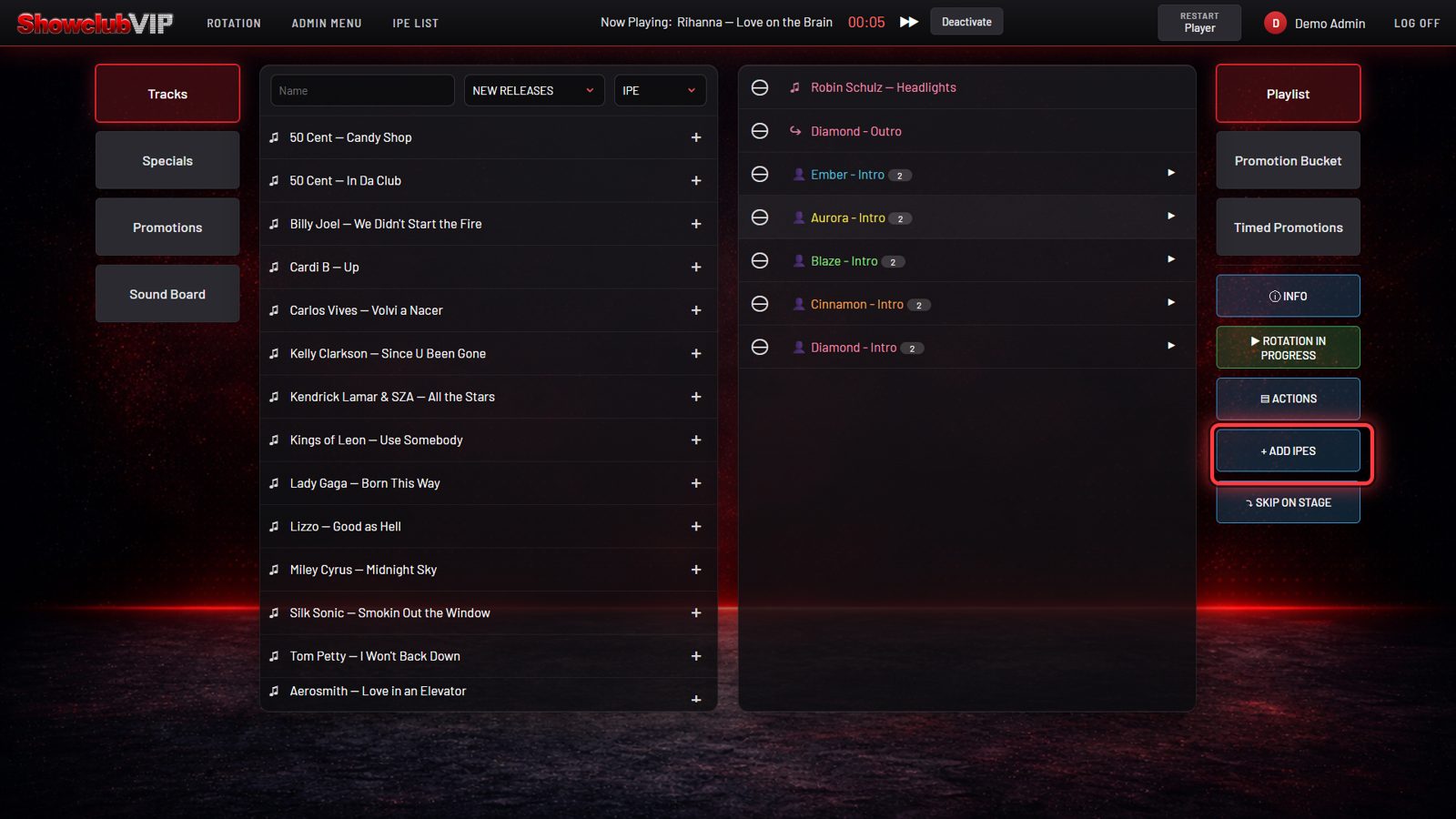
Tap + Add IPEs
On the Main Menu tap Specials & Rotation, then tap + Add IPEs on the right.
-
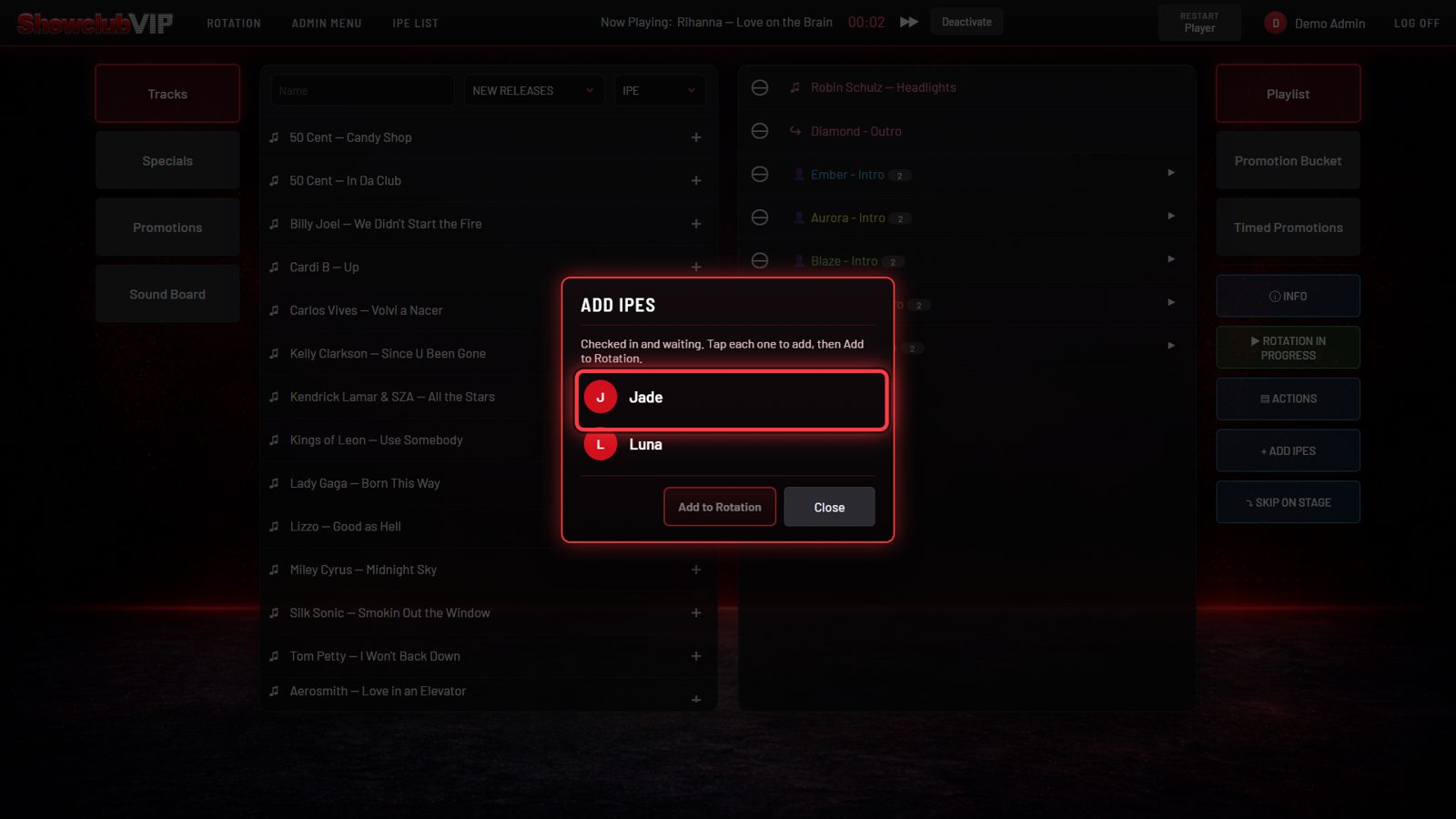
Pick each IPE
The box lists everyone checked in and waiting. Tap each IPE you want to add. A tick and a number show the order they'll go in.
-
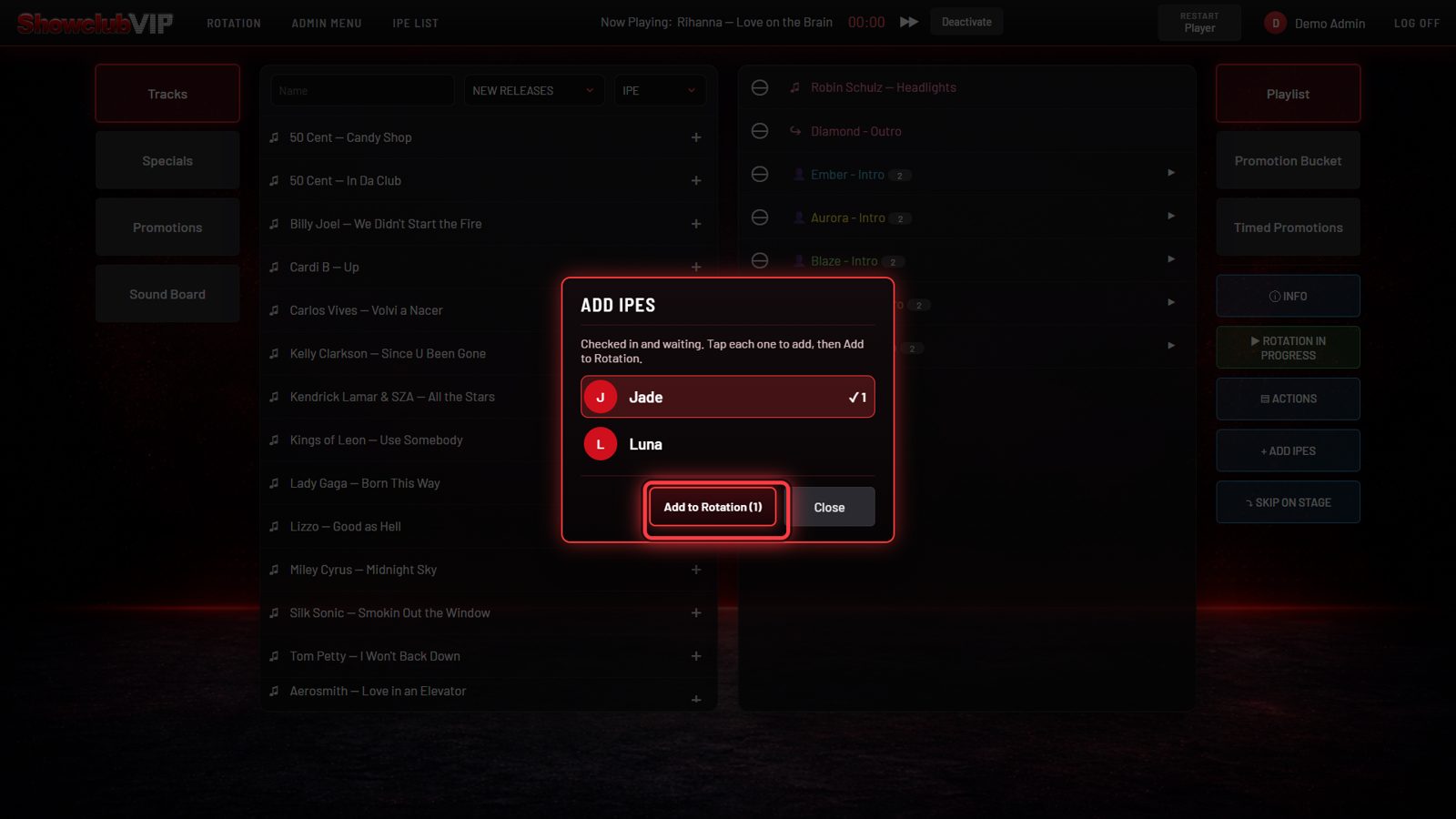
Add to Rotation
Tap Add to Rotation. The button counts how many you picked.
-
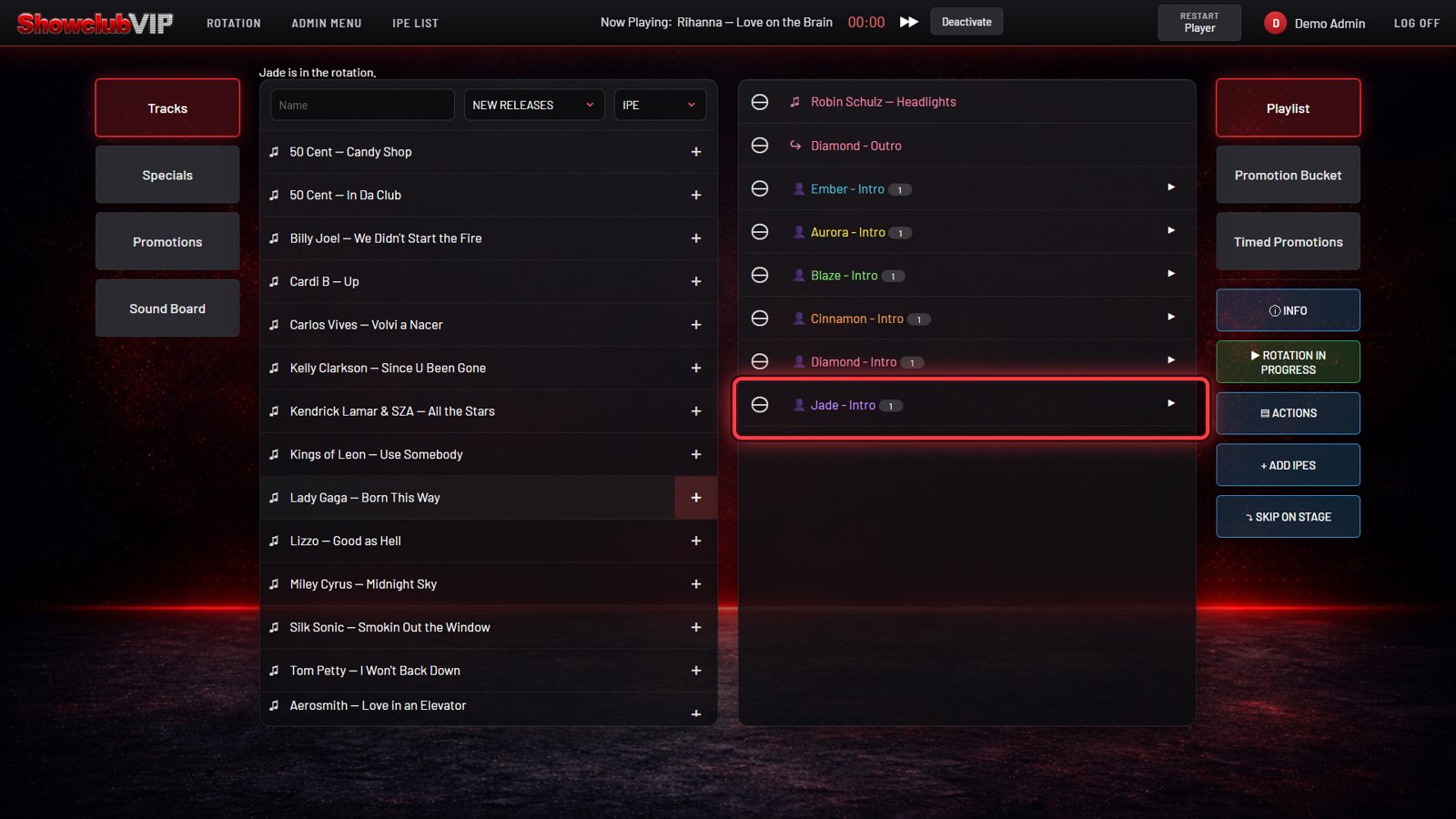
In the rotation
The intro joins the end of the playlist, and the set follows your club's Rotation Blocks.
Try it on the live demo
The demo club is the full system, with IPEs checked in and the rotation moving. Ask for your one-time PINs and try it yourself.
Request demo access