Rotation & Rotation Blocks · 3 minutes
Info, pausing and Skip On Stage
The rotation's own buttons, down the right of Specials & Rotation.
-
Info
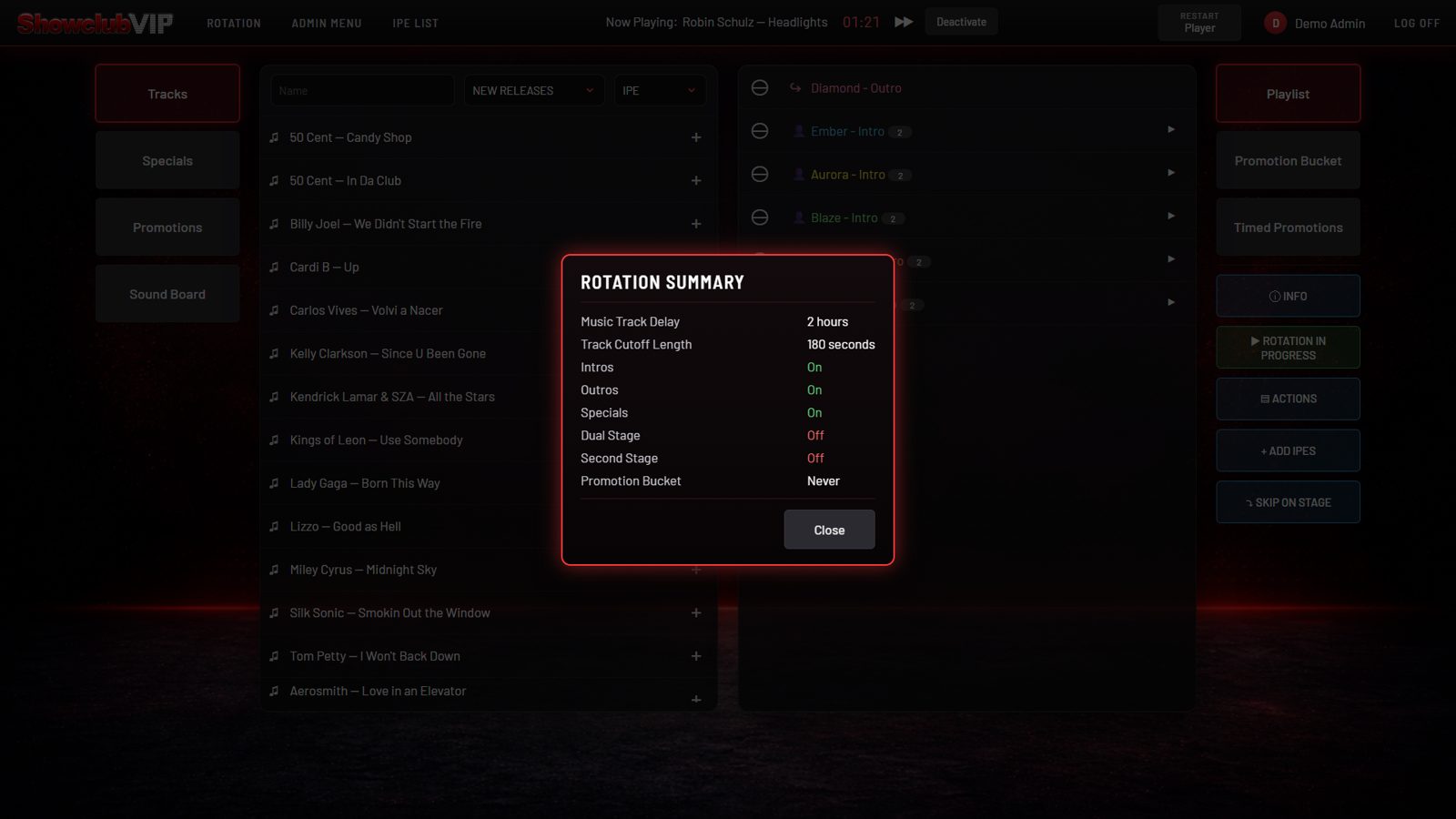
Info shows the Rotation Summary: how long before a song repeats, how long songs play, whether intros, outros, specials, Dual Stage and Second Stage are on, and how the Promotion Bucket plays. Close puts it away.
-
Pausing the rotation
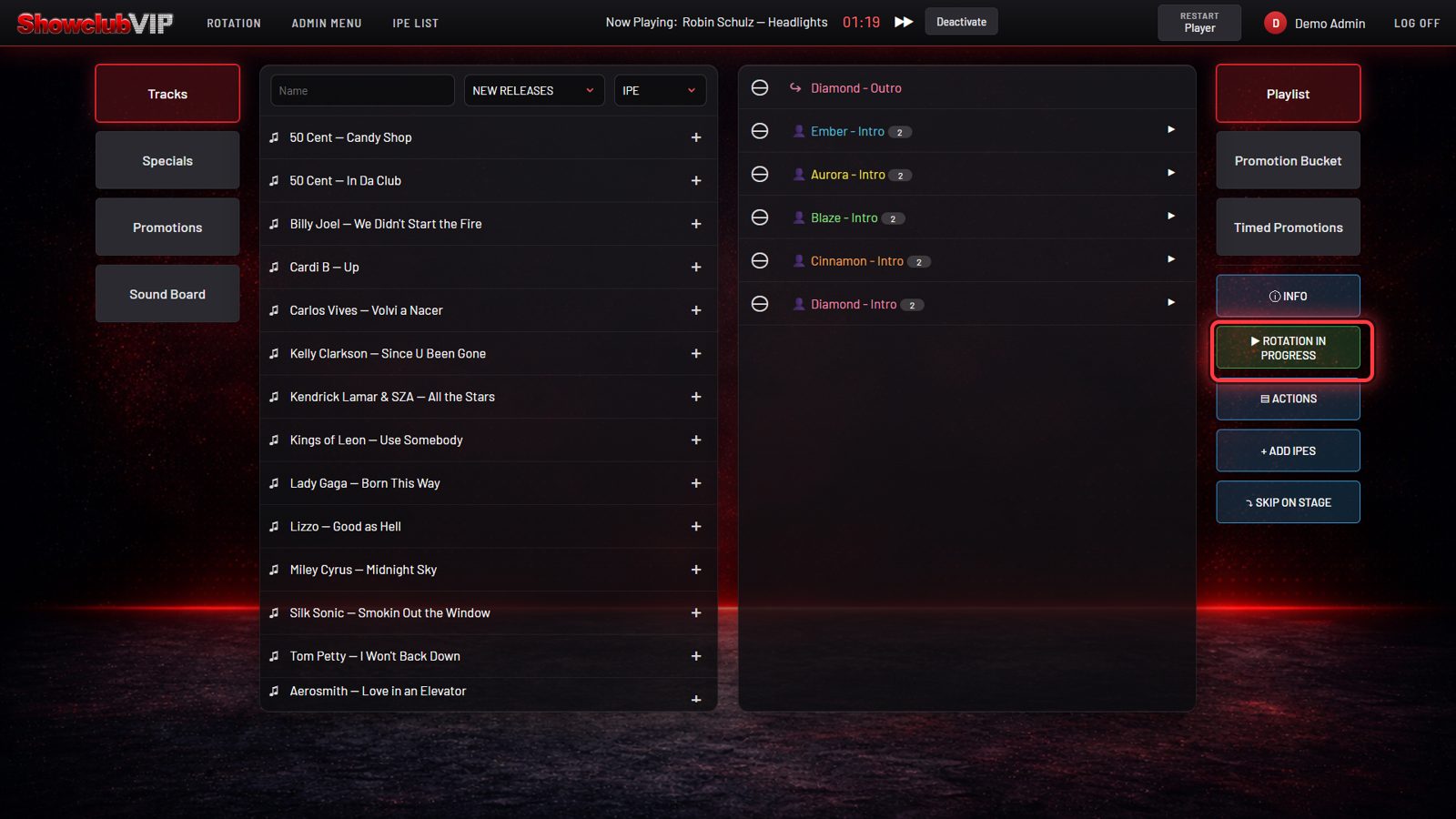
Rotation in Progress pauses the rotation: no one is called to the stage, and the music keeps playing. Tap it again to start the rotation again.
-
Skip On Stage: when you need it
An IPE's name was called, but they're in a private dance and will miss their stage call. Their songs are already playing and nobody is on stage.
-
Skip On Stage: what it does
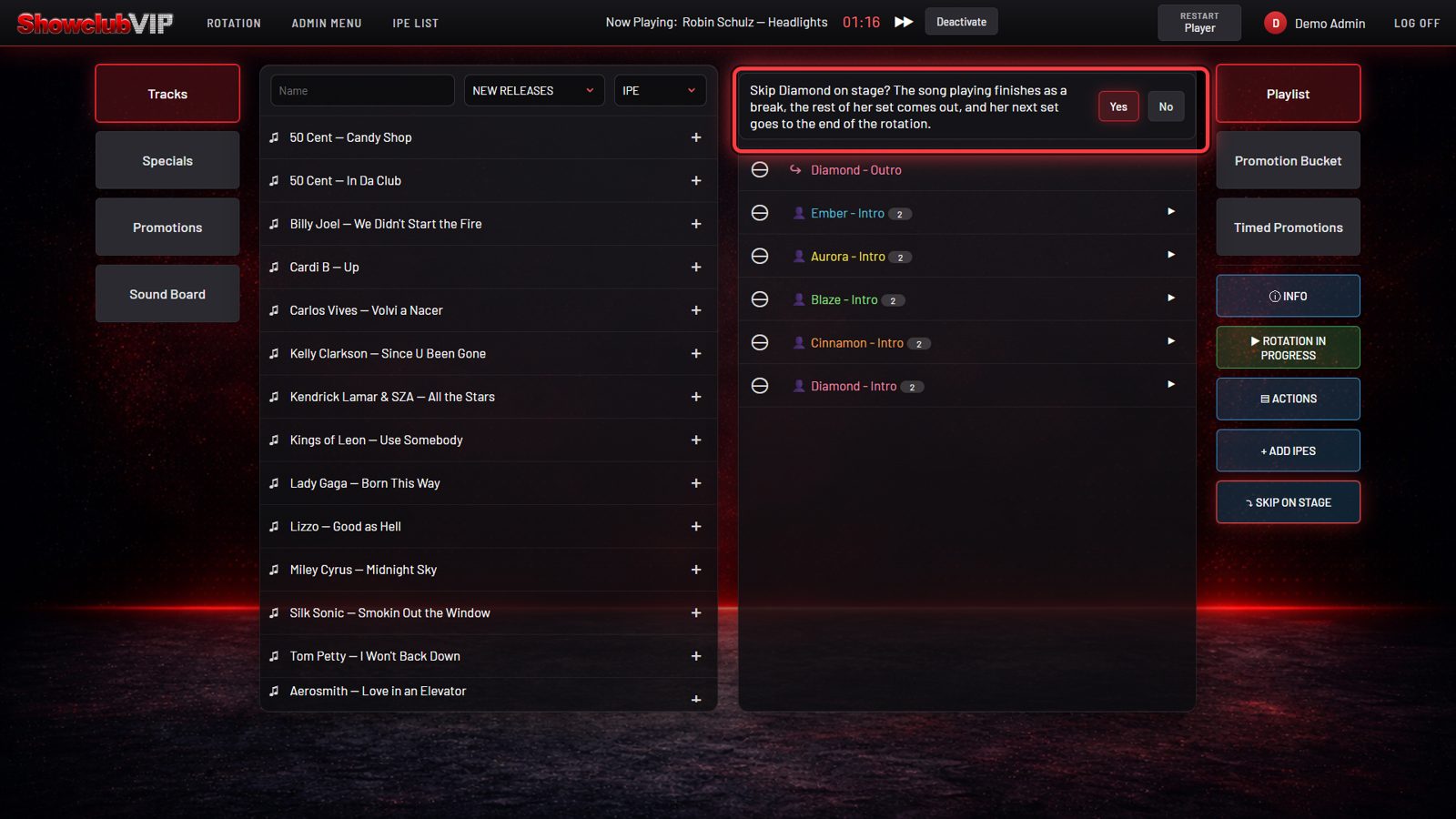
Tap Skip On Stage and answer Yes. The song playing finishes as a break, the rest of their set comes out, and their next set goes to the end of the rotation.
-
What it doesn't do
The IPE isn't charged a Loss Discount: they're skipped quietly, and the next IPE is called as usual when the song ends. Want someone on stage for the rest of the song? Turn on Skip On Stage Calls For A Volunteer in Club Configuration › Music › Details.
Try it on the live demo
The demo club is the full system, with IPEs checked in and the rotation moving. Ask for your one-time PINs and try it yourself.
Request demo access