Rotation & Rotation Blocks · 3 minutes
Pull, Skip, Top and Pull All
Actions moves IPEs around the rotation without touching their songs.
Who: Managers and DJs
Where: Booth, kiosk or tablet
Before you start: Specials & Rotation open
-
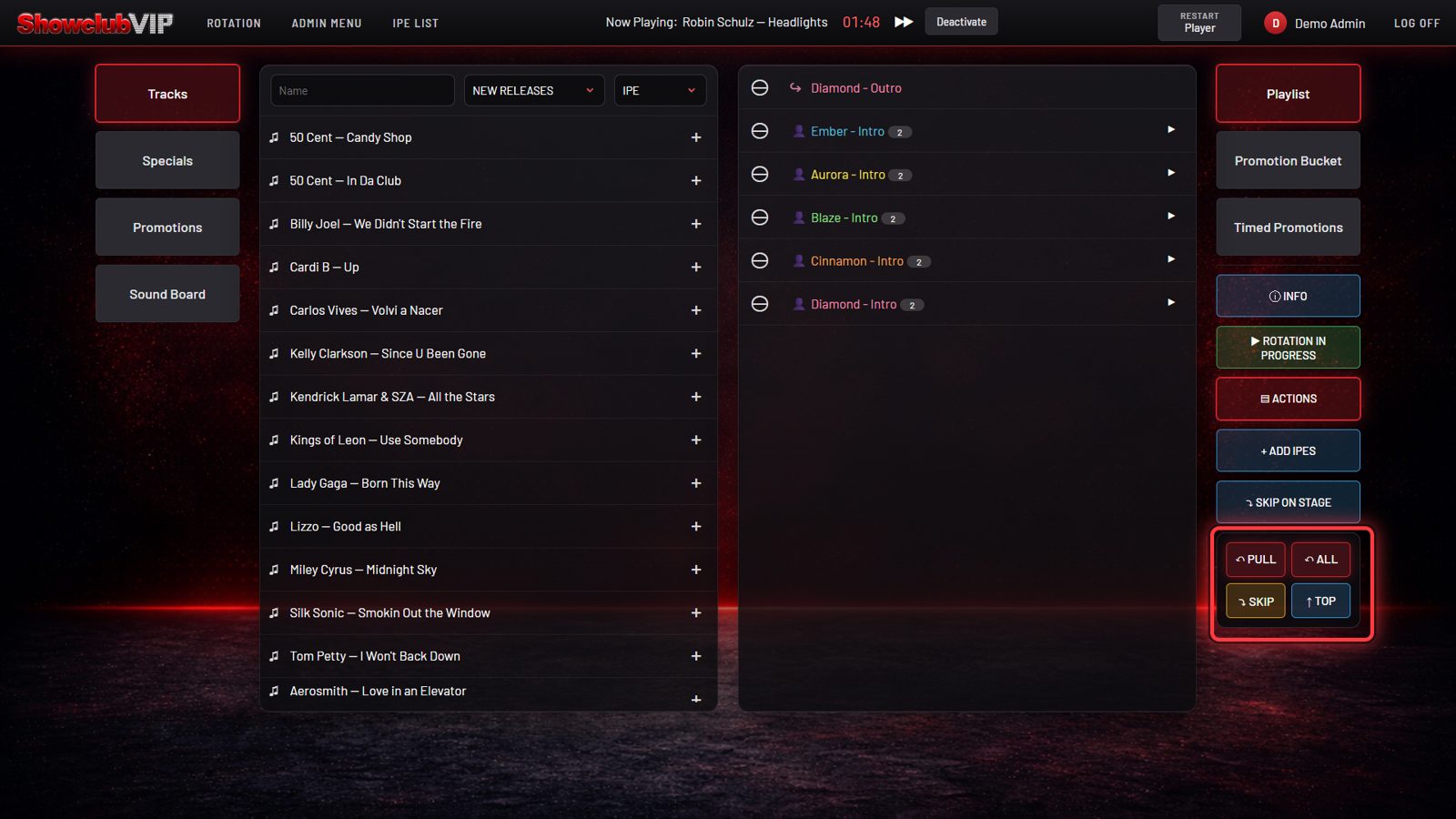
Open Actions
Tap Actions on the right.
- Pull takes an IPE out of the rotation.
- All takes everyone out.
- Skip sends their set to the end of the rotation.
- Top brings them up next.
-
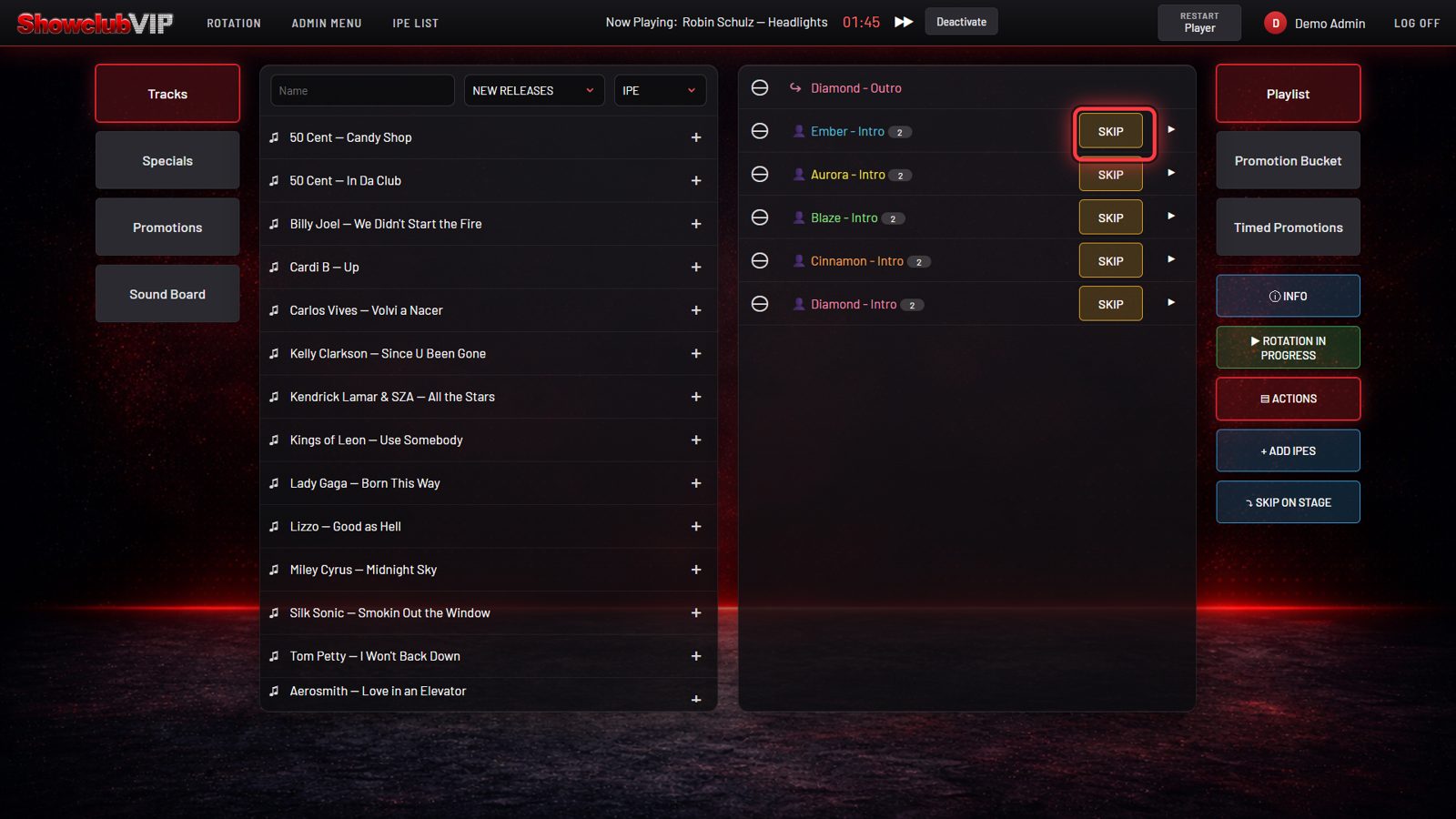
Tap it on the intro
Pick one, and the button appears on every IPE's intro. Tap it on the one you want. Tap the action again in the menu to put the buttons away.
-
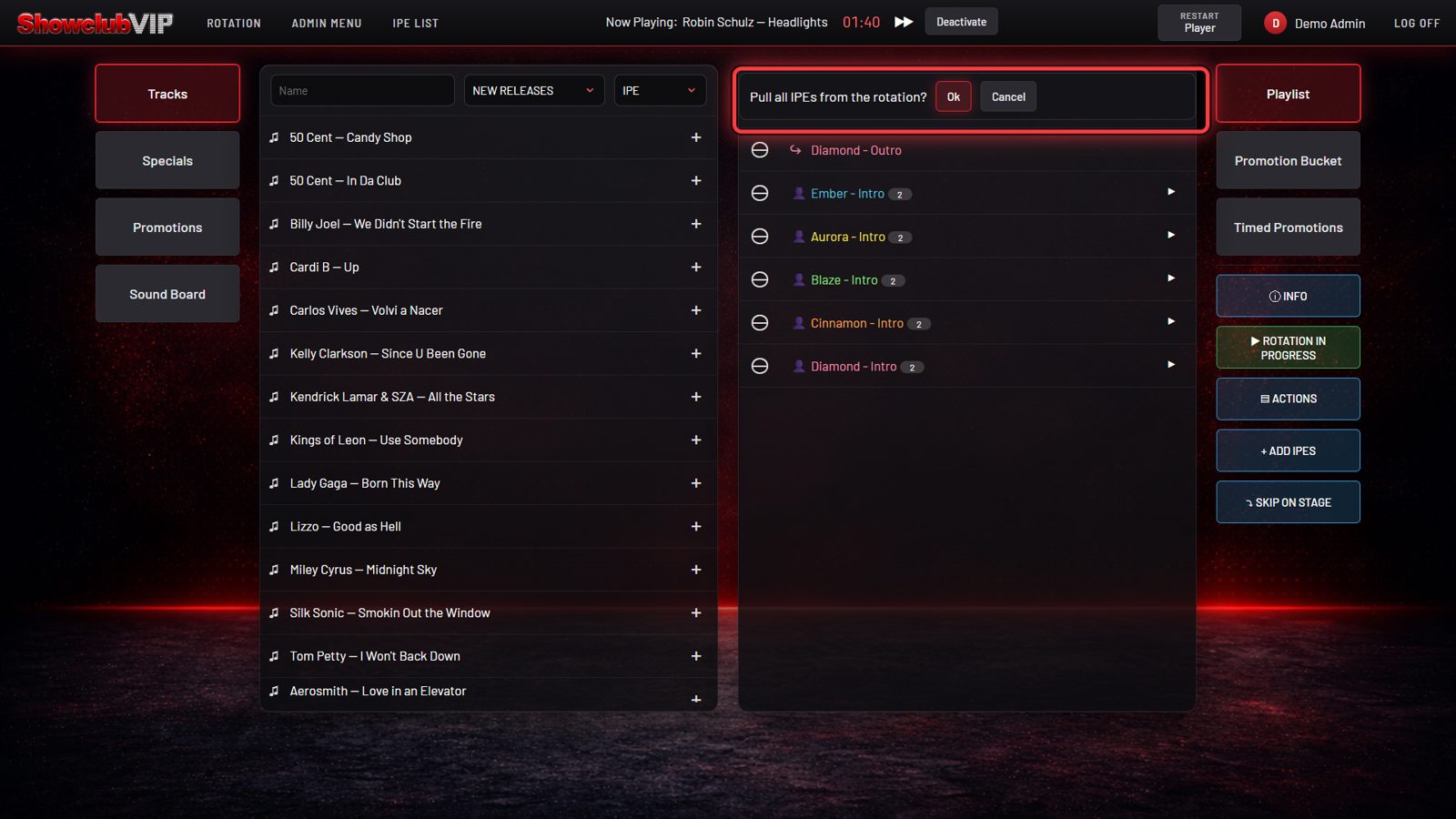
Pull All at closing time
All takes every IPE out of the rotation. It always asks first.
-
In a dance
When the club's POS takes an IPE off for a dance, their name shows In a Dance and their place is held until they're back.
Try it on the live demo
The demo club is the full system, with IPEs checked in and the rotation moving. Ask for your one-time PINs and try it yourself.
Request demo access