Rotation & Rotation Blocks · 3 minutes
The Promotion Bucket and Timed Promotions
Promotions play between sets, so your advertising reaches every guest without interrupting a dance.
-
The Promotion Bucket
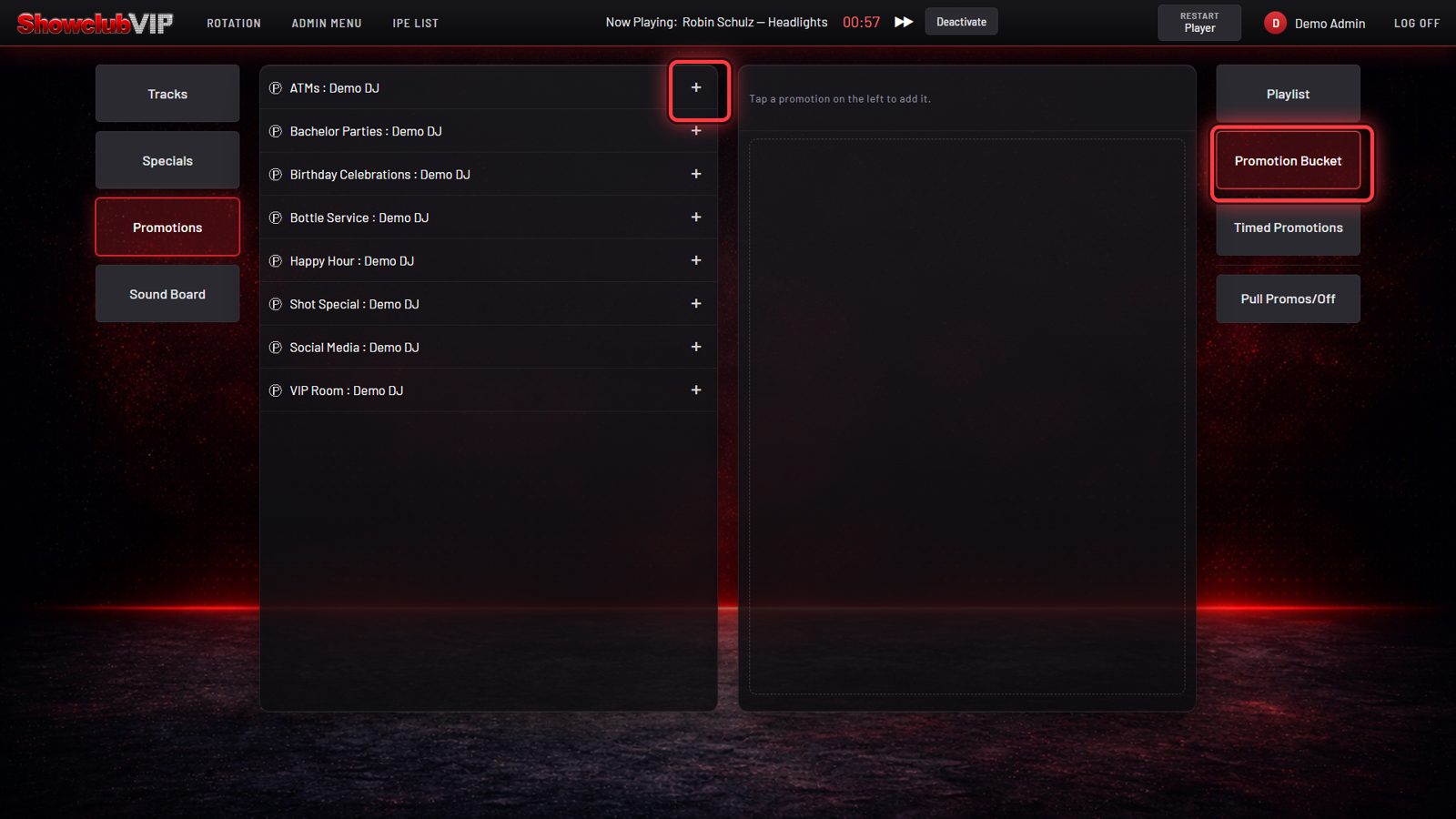
Tap Promotion Bucket on the right. The club's promotions are listed on the left: tap + to add one to the bucket, and ⊖ to take it out. Every change saves at once.
-
Timed Promotions
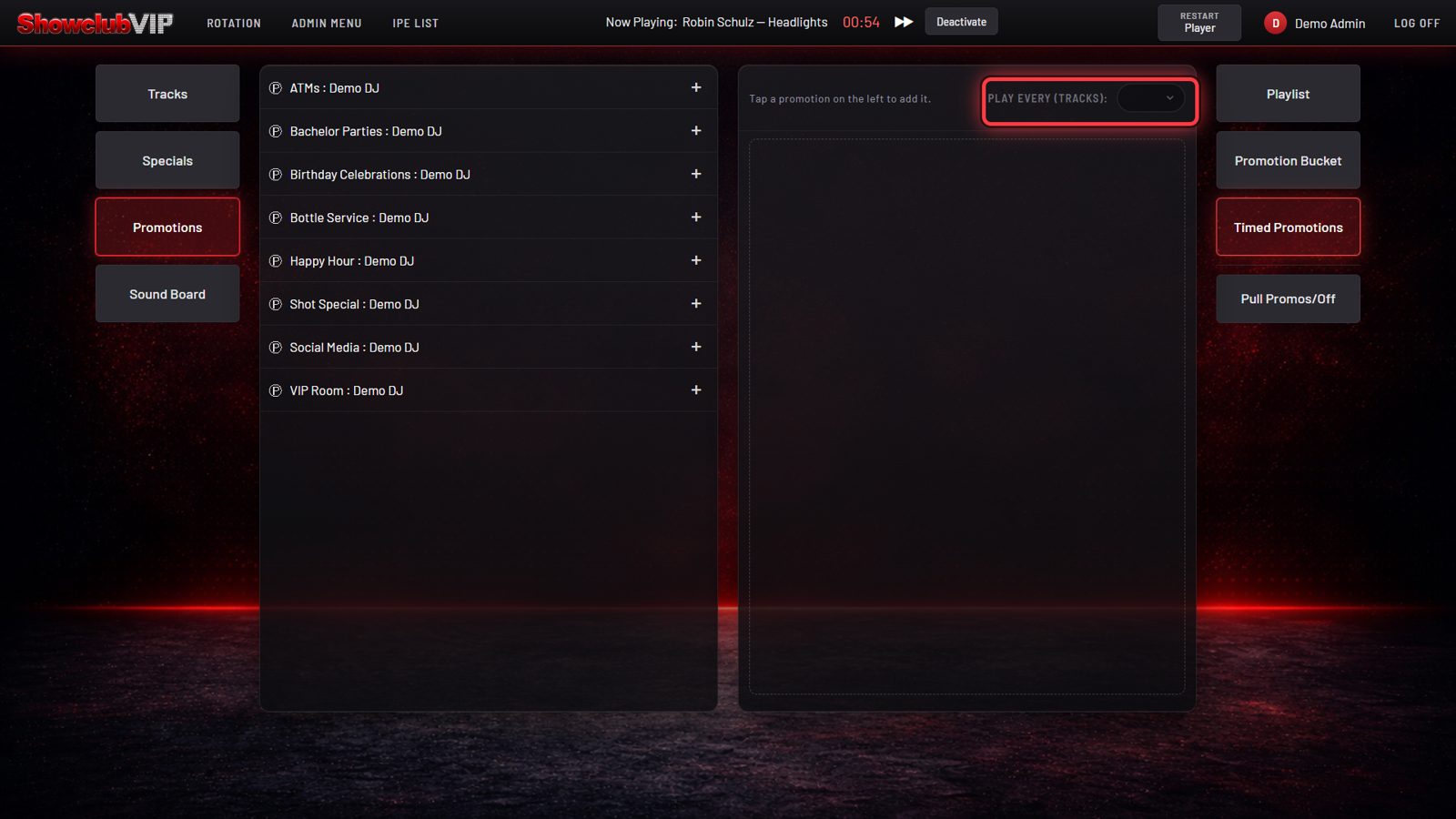
For a promotion that should play on a schedule, usually a dance special: tap Timed Promotions, add it, then pick Play Every (Tracks), how many tracks play before it. It never plays inside an IPE's set.
-
How often the bucket plays
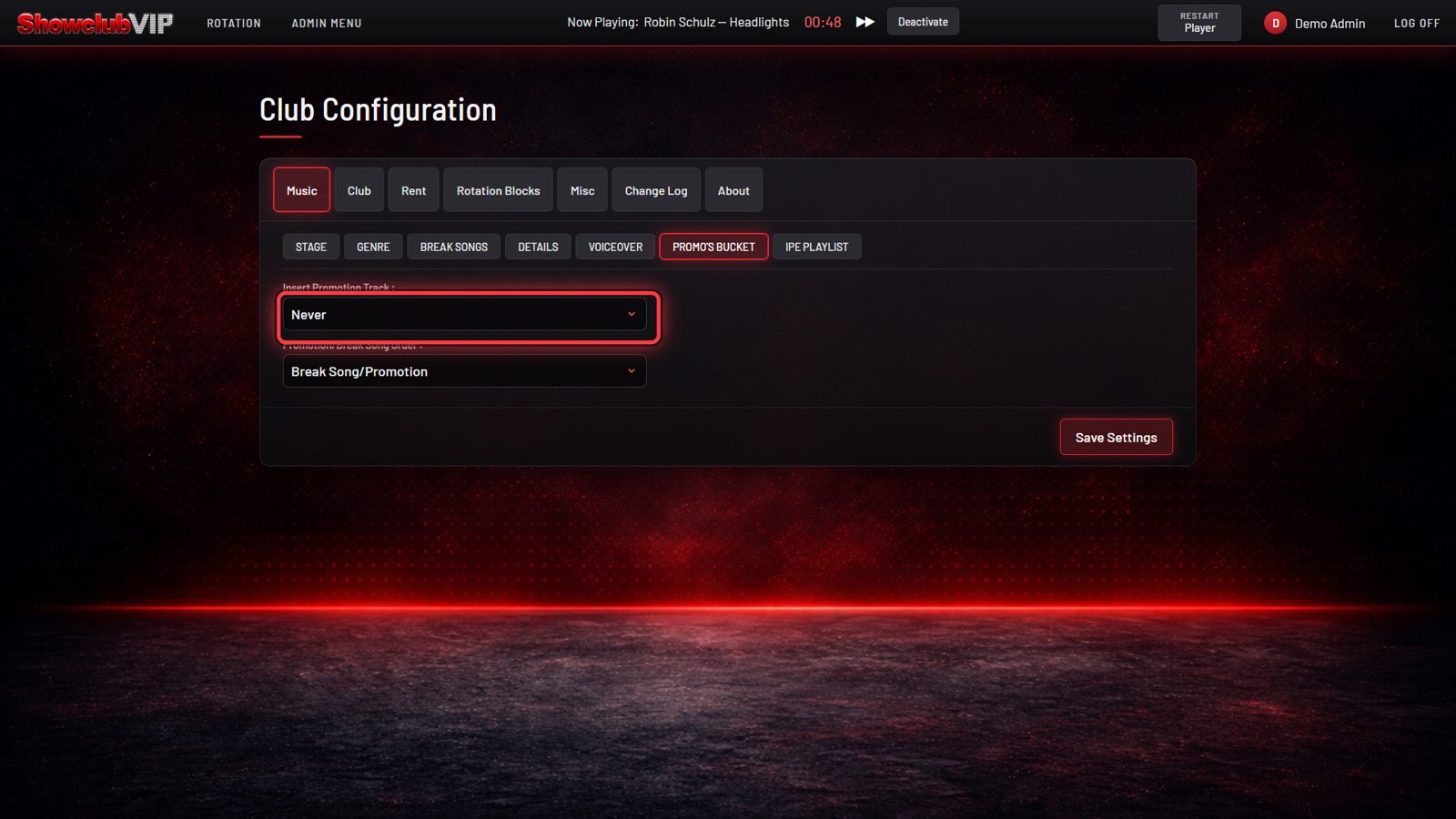
In Club Configuration › Music › Promo's Bucket, Insert Promotion Track sets how often a promotion plays: Never, After Every Set, or After Every Other Set. Promotion/Break Song Order picks which plays first between sets. Tap Save Settings.
Try it on the live demo
The demo club is the full system, with IPEs checked in and the rotation moving. Ask for your one-time PINs and try it yourself.
Request demo access