Music · 3 minutes
Finding and editing songs
Everything about the club's music lives under Music on the Main Menu.
Who: Managers and DJs
Where: Booth, kiosk or tablet
Before you start: Signed in as a manager
-
Open the library
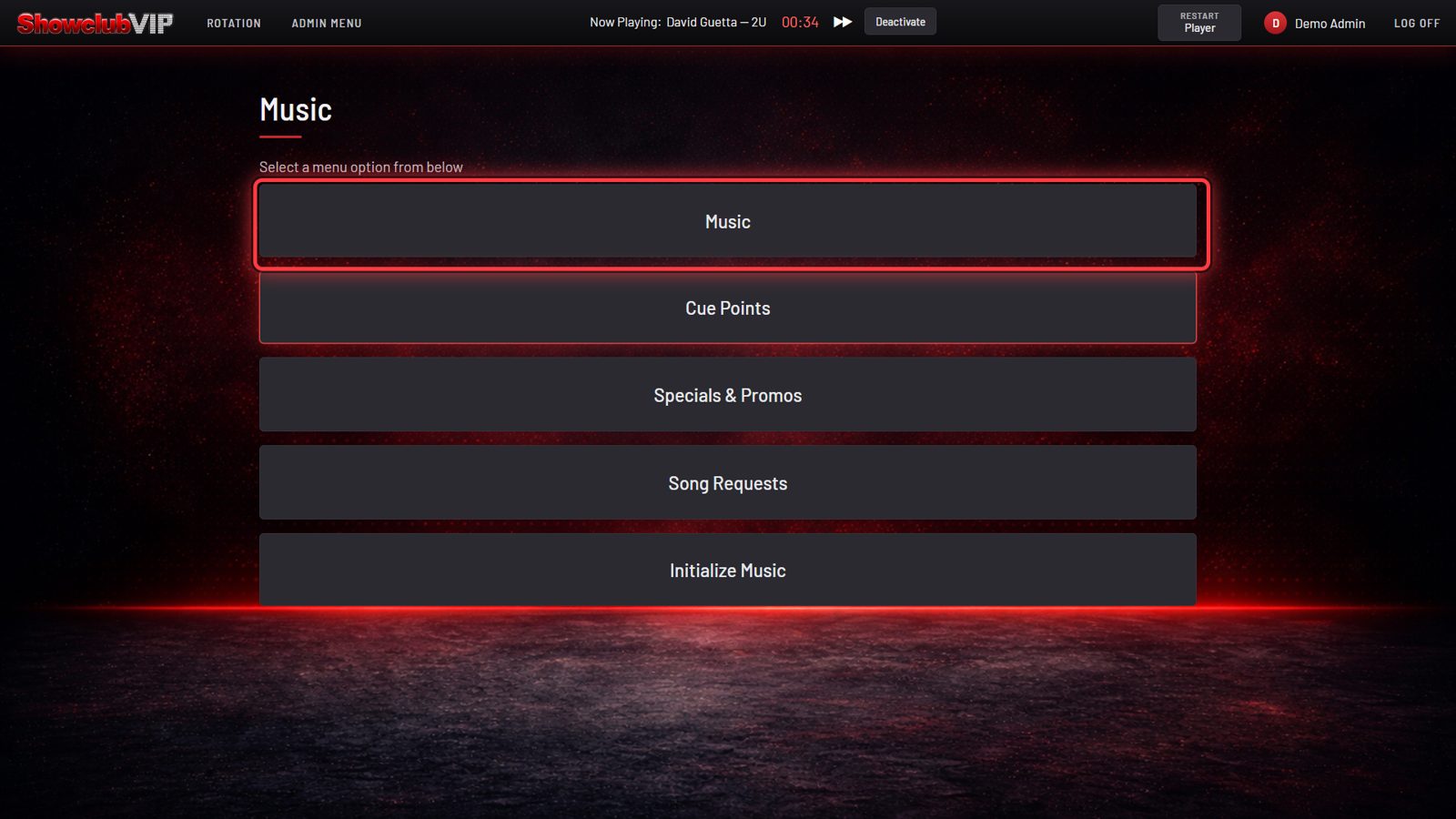
On the Main Menu tap Music, then Music.
-
Find a song
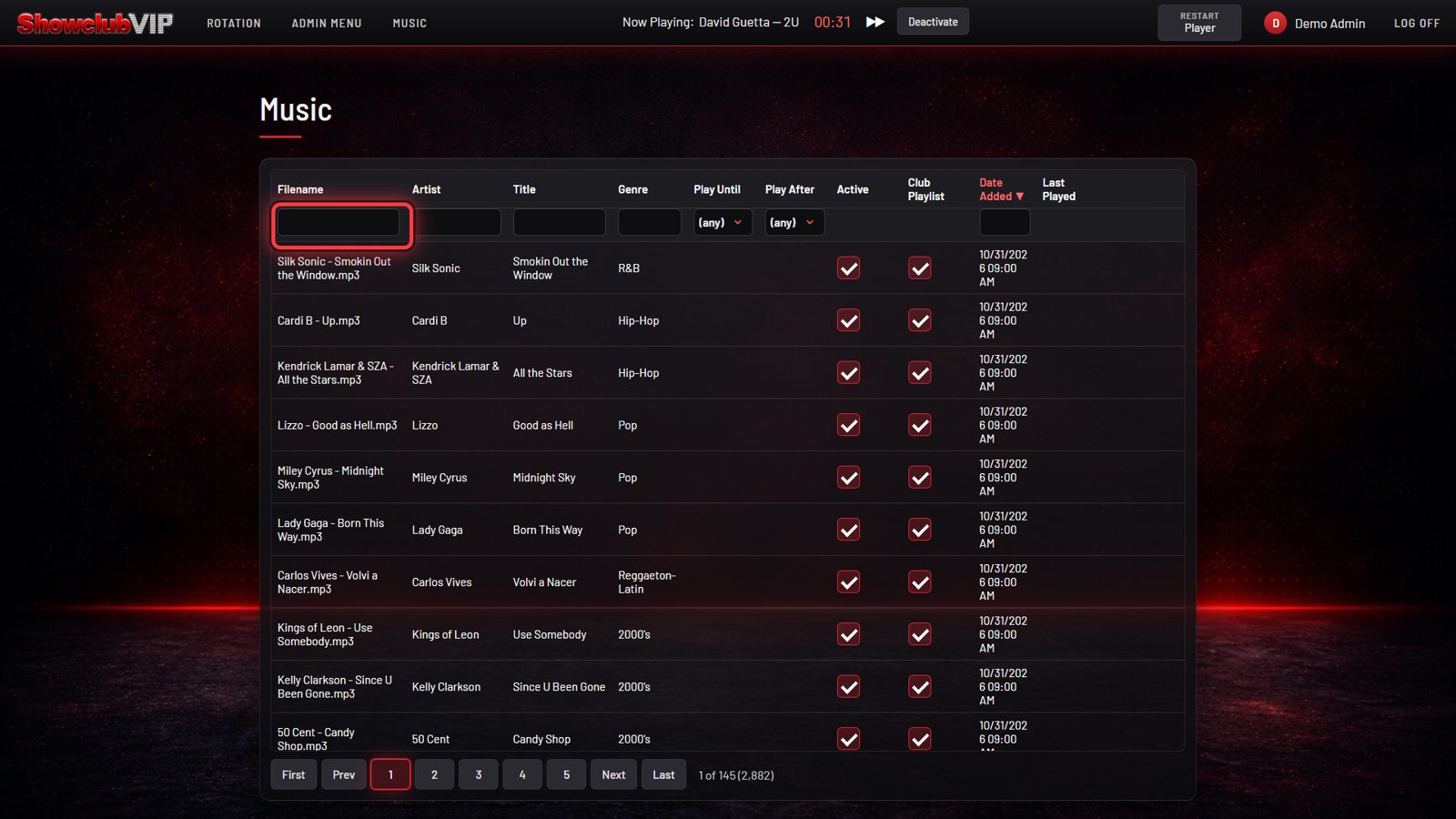
Every track with its file name, artist, title and genre. Type in the boxes above the columns to search, and tap a heading to sort by it.
-
Edit a song
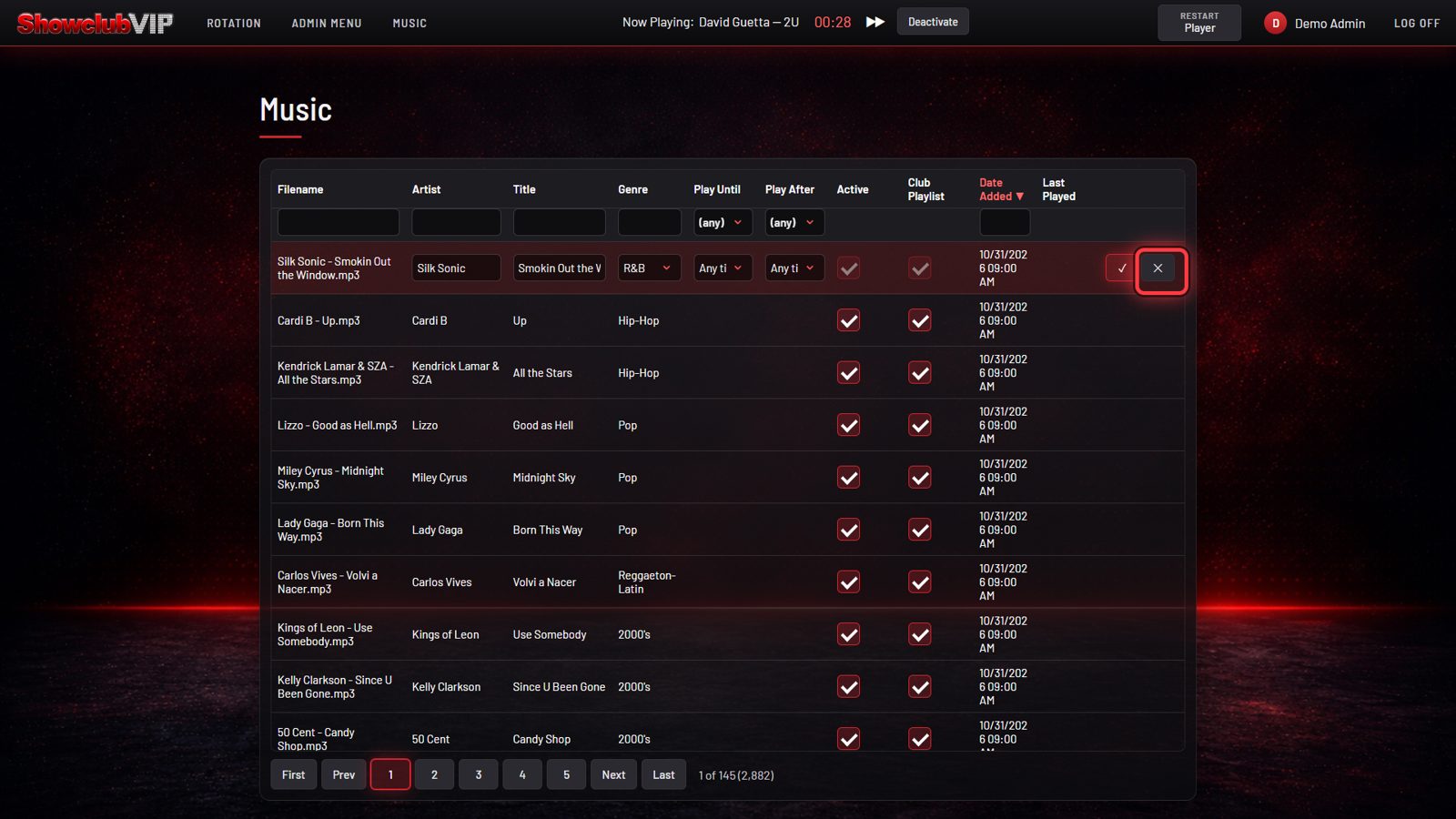
Tap a song to fix its artist, title or genre, or to set Play Until and Play After, the hours it may play. The tick saves it; the cross leaves it as it was. Active turns a song on or off for the whole club. Club Playlist marks the songs the club approves: ShowclubVIP picks from these first for IPEs' sets and break songs, and suggests them to IPEs.
Try it on the live demo
The demo club is the full system, with IPEs checked in and the rotation moving. Ask for your one-time PINs and try it yourself.
Request demo access