Music · 2 minutes
Cue points: where a song starts
Skip a long intro: a cue point makes a song start where you choose, every time it plays.
Who: Managers and DJs
Where: Booth, kiosk or tablet
Before you start: Signed in as a manager
-
Pick a song and tap its waveform
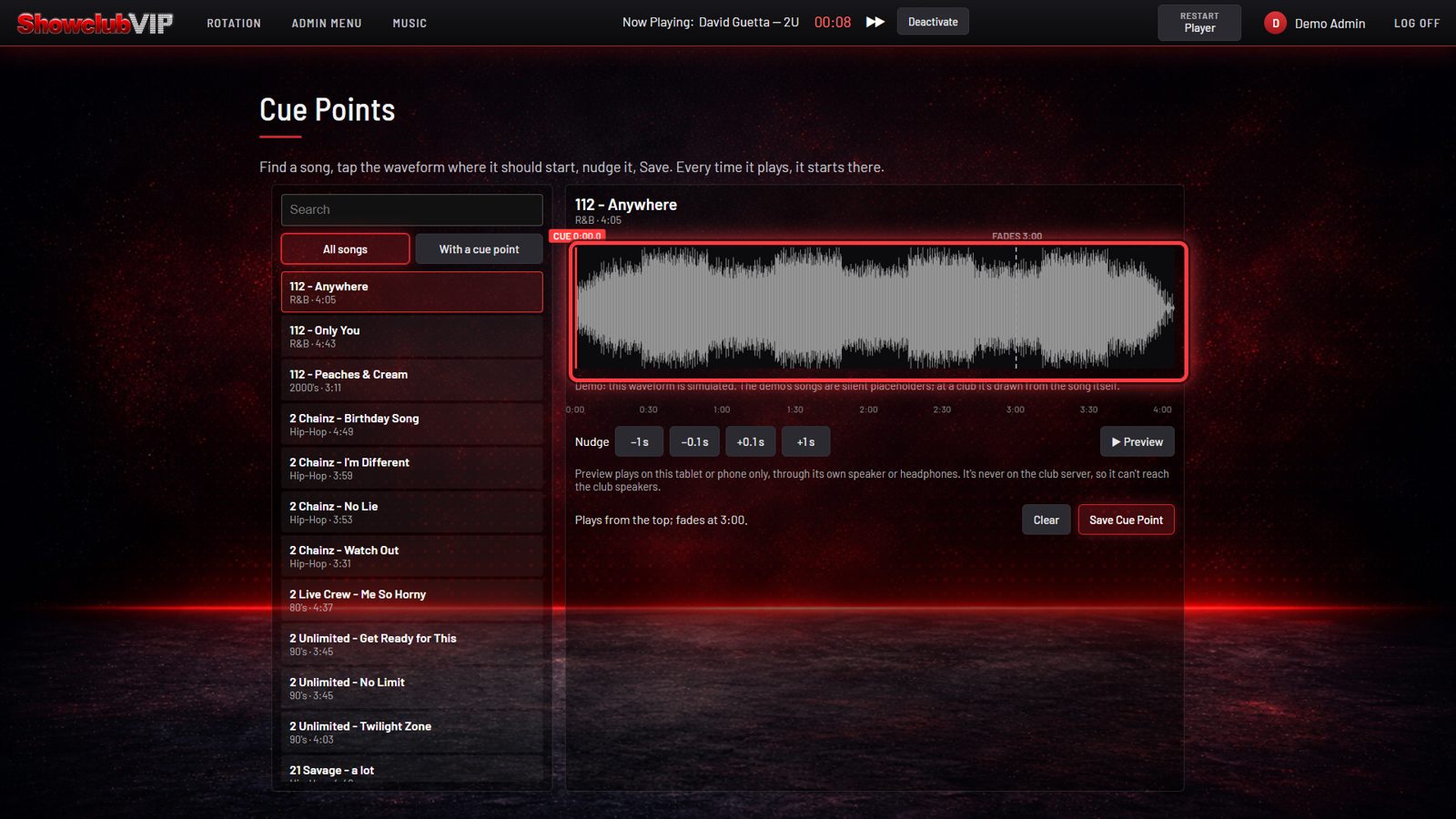
On the Music menu tap Cue Points. Find the song, then tap its waveform where it should start.
-
Nudge it and save
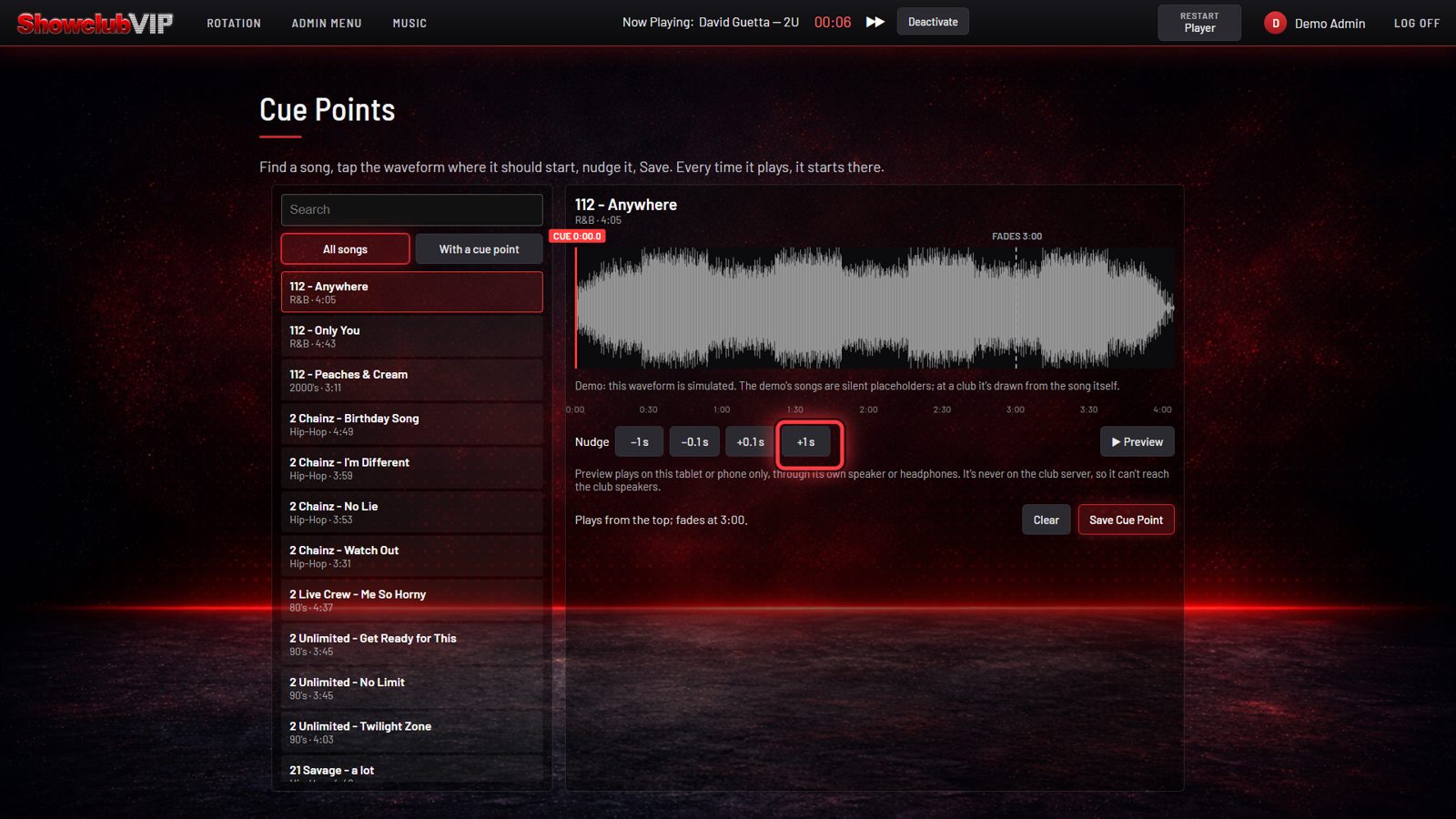
-1 s, -0.1 s, +0.1 s and +1 s fine-tune it. Preview plays it on this device only, never through the club's speakers. Tap Save Cue Point; Clear puts it back to the top.
Try it on the live demo
The demo club is the full system, with IPEs checked in and the rotation moving. Ask for your one-time PINs and try it yourself.
Request demo access