Getting started · 2 minutes
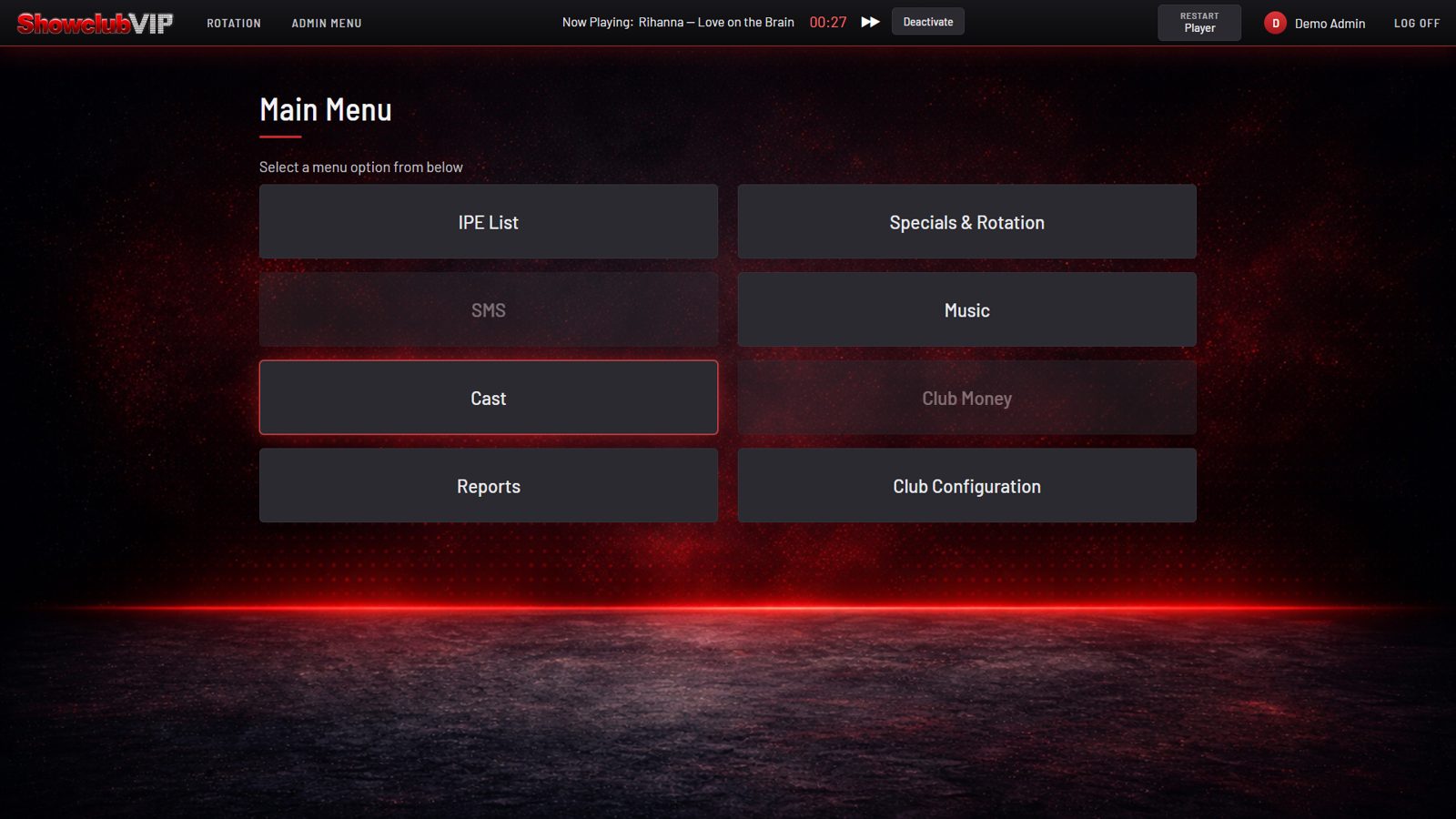
Finding your way around the Main Menu
Every manager screen starts from the Main Menu.
Who: Managers and DJs
Where: Booth, kiosk or tablet
Before you start: Signed in as a manager
-
What each button does
- IPE List: who's checked in and who's in the rotation, check-ins, rent and dances.
- Specials & Rotation: the DJ's main screen, with the music library and tonight's playlist.
- SMS: texting your IPEs (an add-on).
- Music: the club's library, cue points, specials and promos, and song requests.
- Cast: add IPEs and Dance Tracker logins.
- Club Money: print Club Money (an add-on).
- Reports: shift, summary, stage, music and more.
- Club Configuration: the club's own settings.
A button greyed out is an add-on your club doesn't have yet.
Try it on the live demo
The demo club is the full system, with IPEs checked in and the rotation moving. Ask for your one-time PINs and try it yourself.
Request demo access