Getting started · 2 minutes
Signing in with your PIN
Everyone signs in the same way: tap who you are, then type your PIN.
Who: Everyone
Where: Booth, kiosk or tablet
Before you start: Your four-digit PIN
-
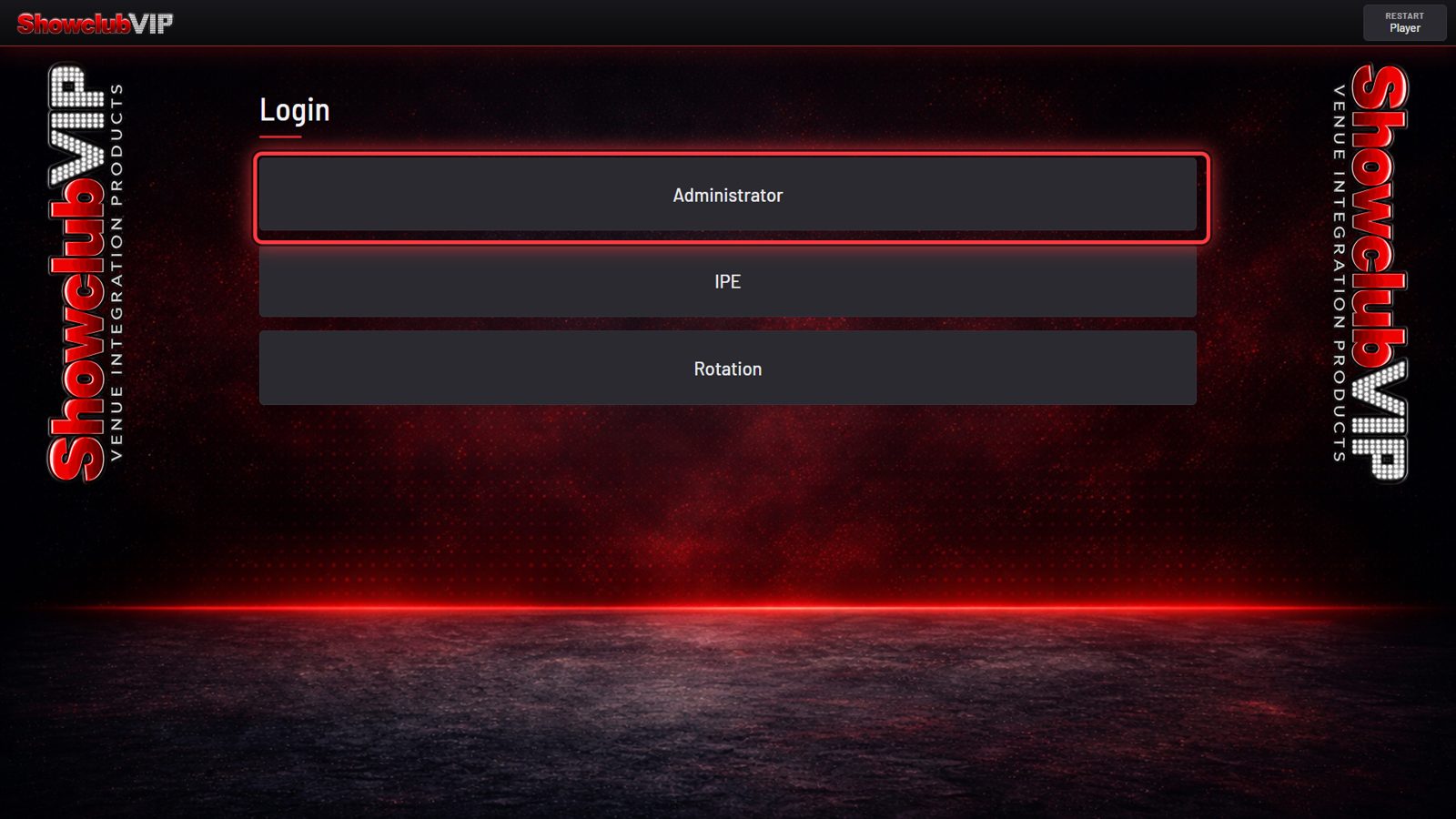
Tap who you are
On the Login screen, managers tap Administrator and IPEs tap IPE. Rotation shows the rotation without signing in.
-
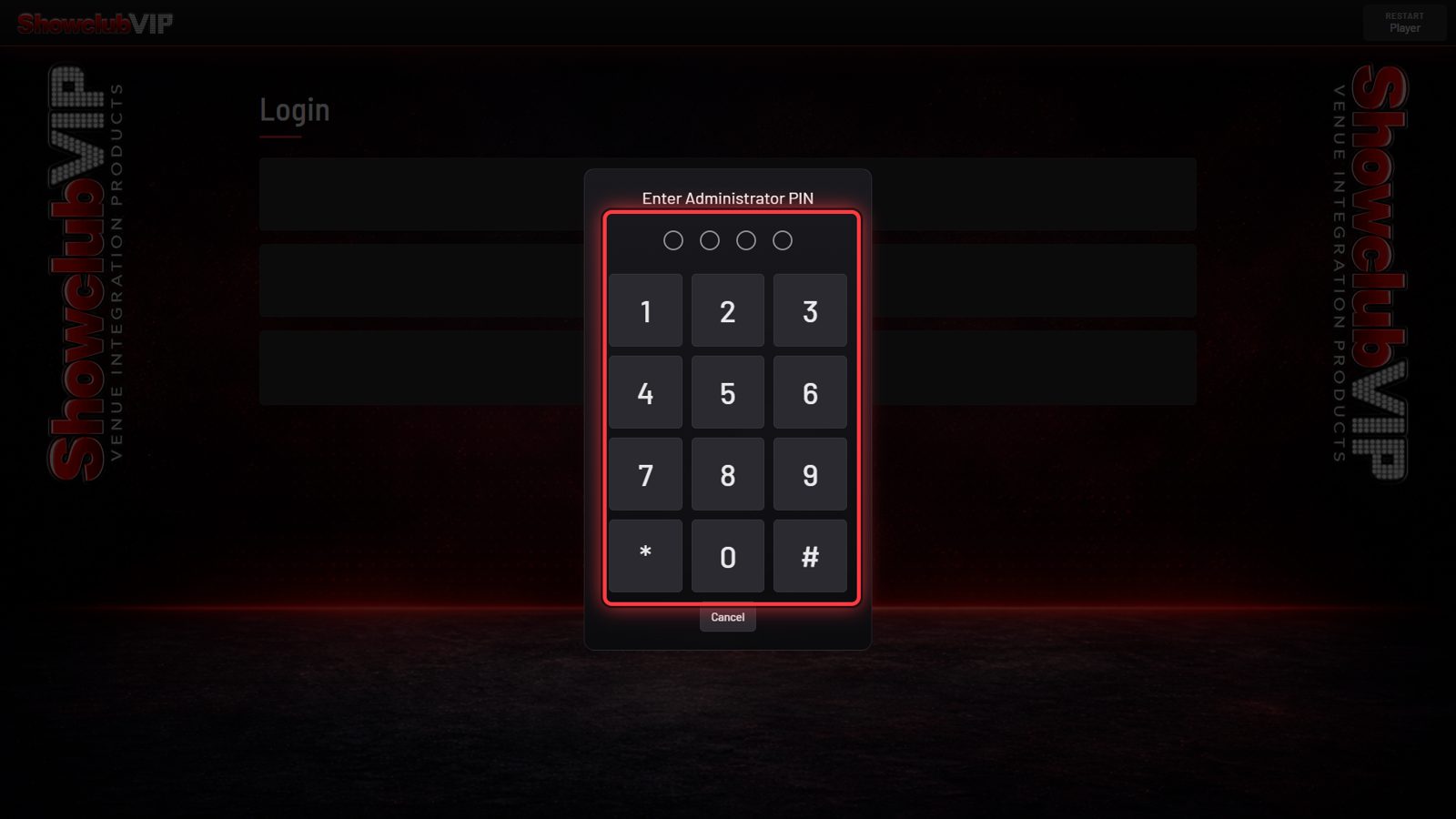
Type your PIN
The keypad opens in the middle of the screen. Type your four-digit PIN. Tapped the wrong button? Cancel closes the keypad.
-
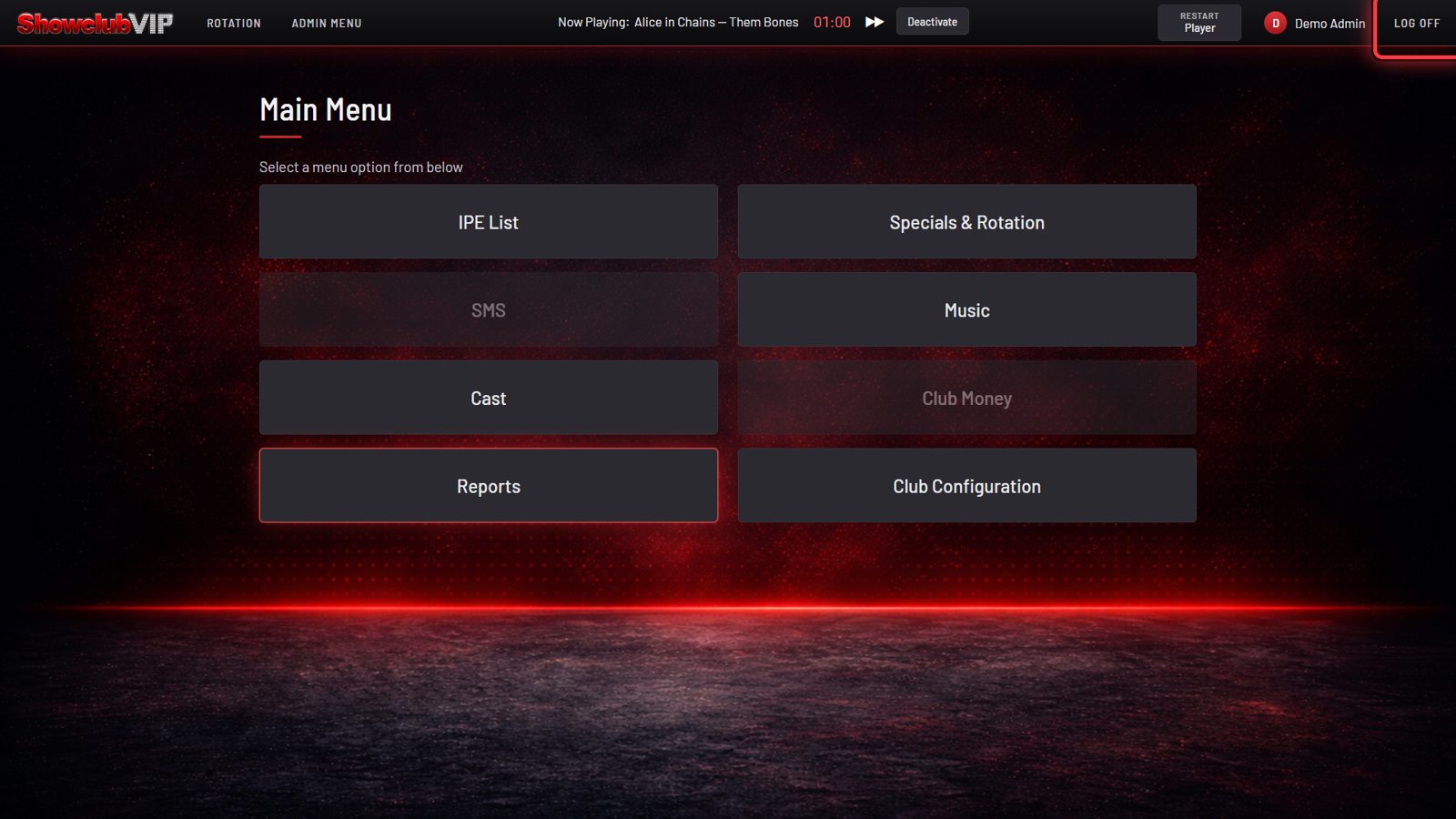
You're in
Managers land on the Main Menu, and IPEs on their own menu. When you're done, tap Log Off at the top right so nobody else works under your name.
Try it on the live demo
The demo club is the full system, with IPEs checked in and the rotation moving. Ask for your one-time PINs and try it yourself.
Request demo access