IPEs & Rent · 4 minutes
Rent, dances and paying out
Rent collection is optional: a club that doesn't collect rent doesn't have to use any of this. For one that does, each IPE's rent and dances for the night are a tap away on the Checked In List.
-
Open their night
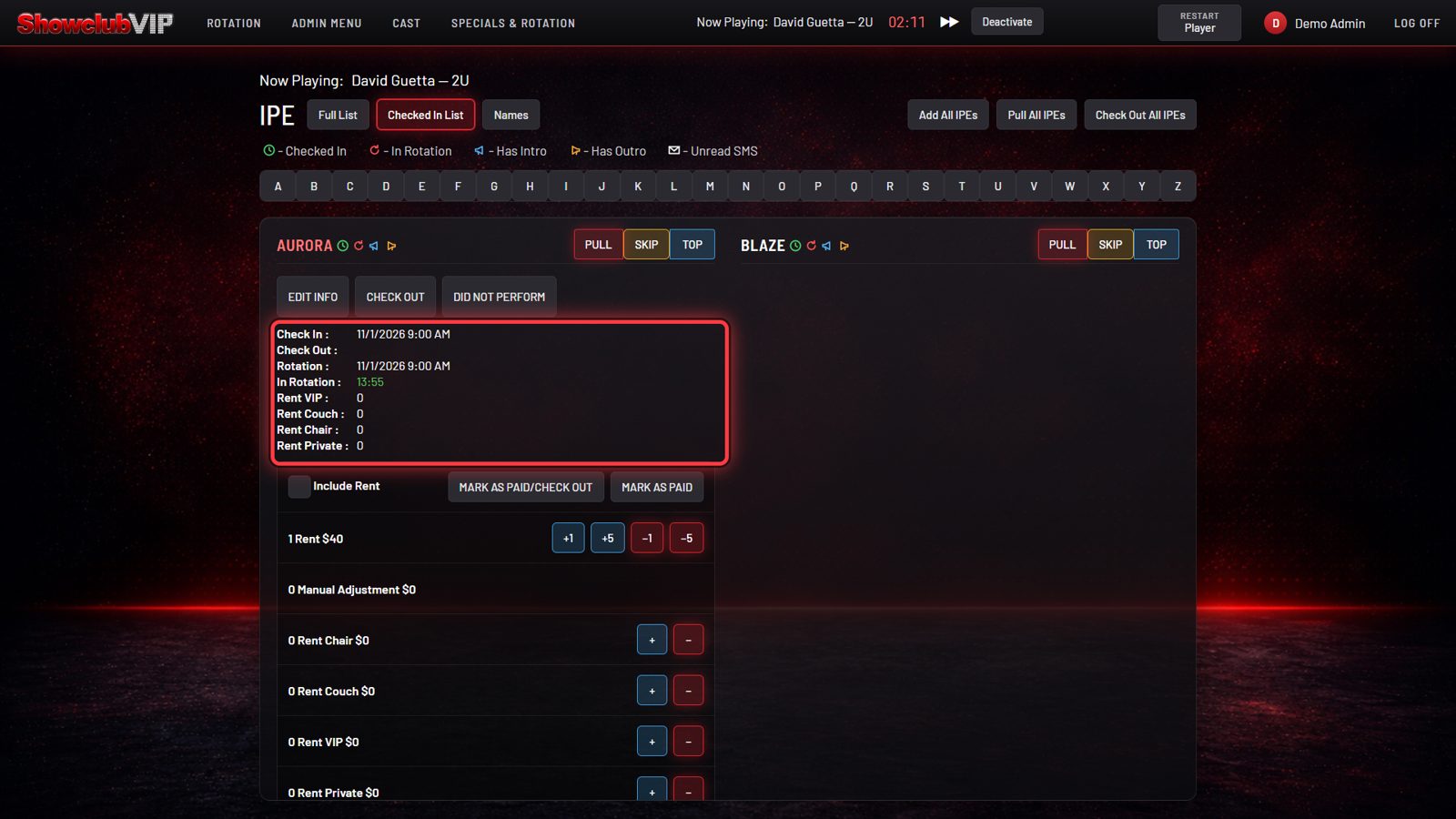
On the Checked In List, tap the IPE's name. You'll see when they checked in, their time in the rotation, and their dances so far.
-
Rent and dances
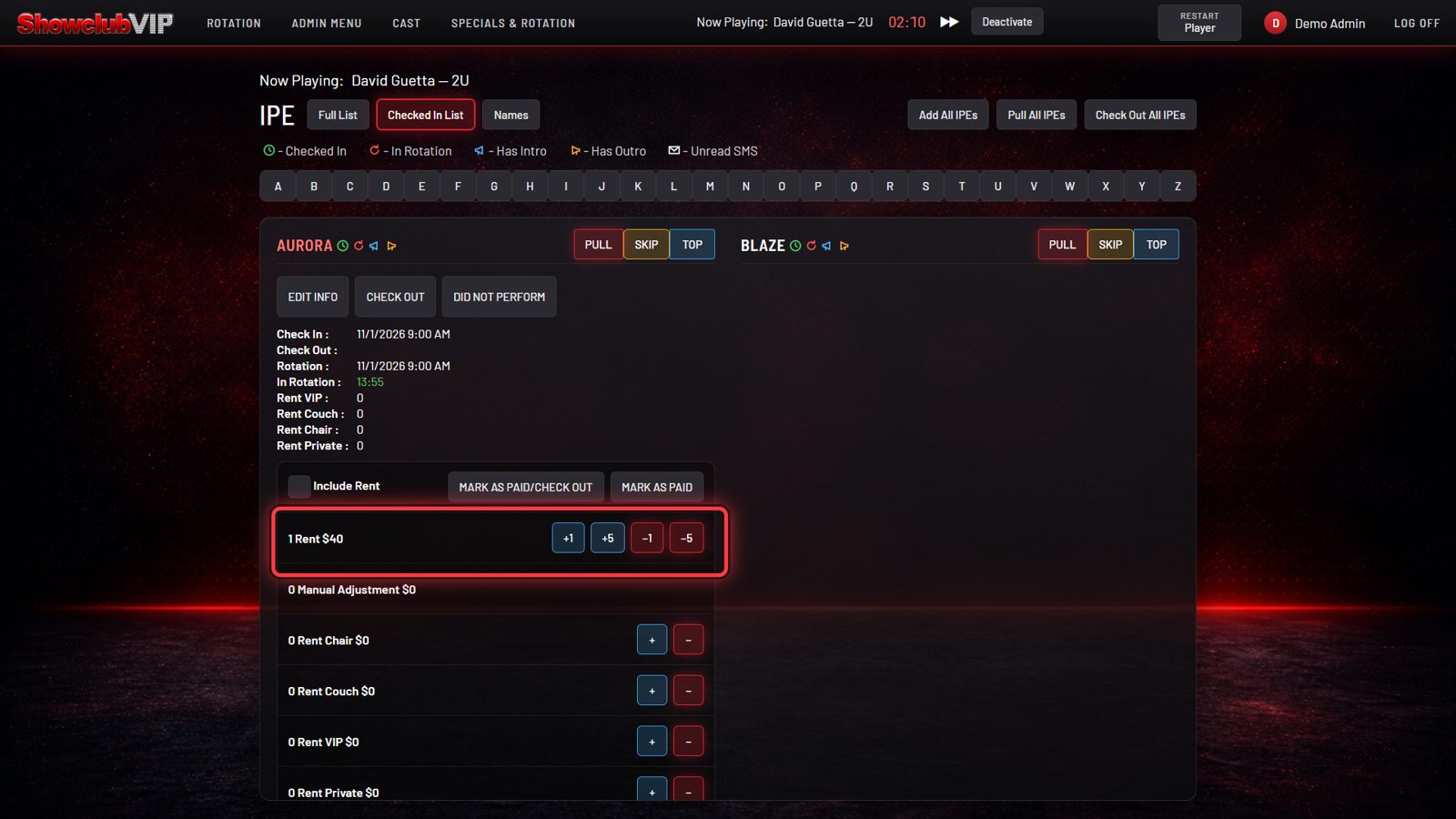
Rent, chair, couch, VIP and private dances each have plus and minus buttons. Every change is kept, with who made it. Loss Discount is the charge for missing a stage call. A manual adjustment adds or takes off an amount, with a note saying why; the notes show on the reports.
-
Paying and checking out
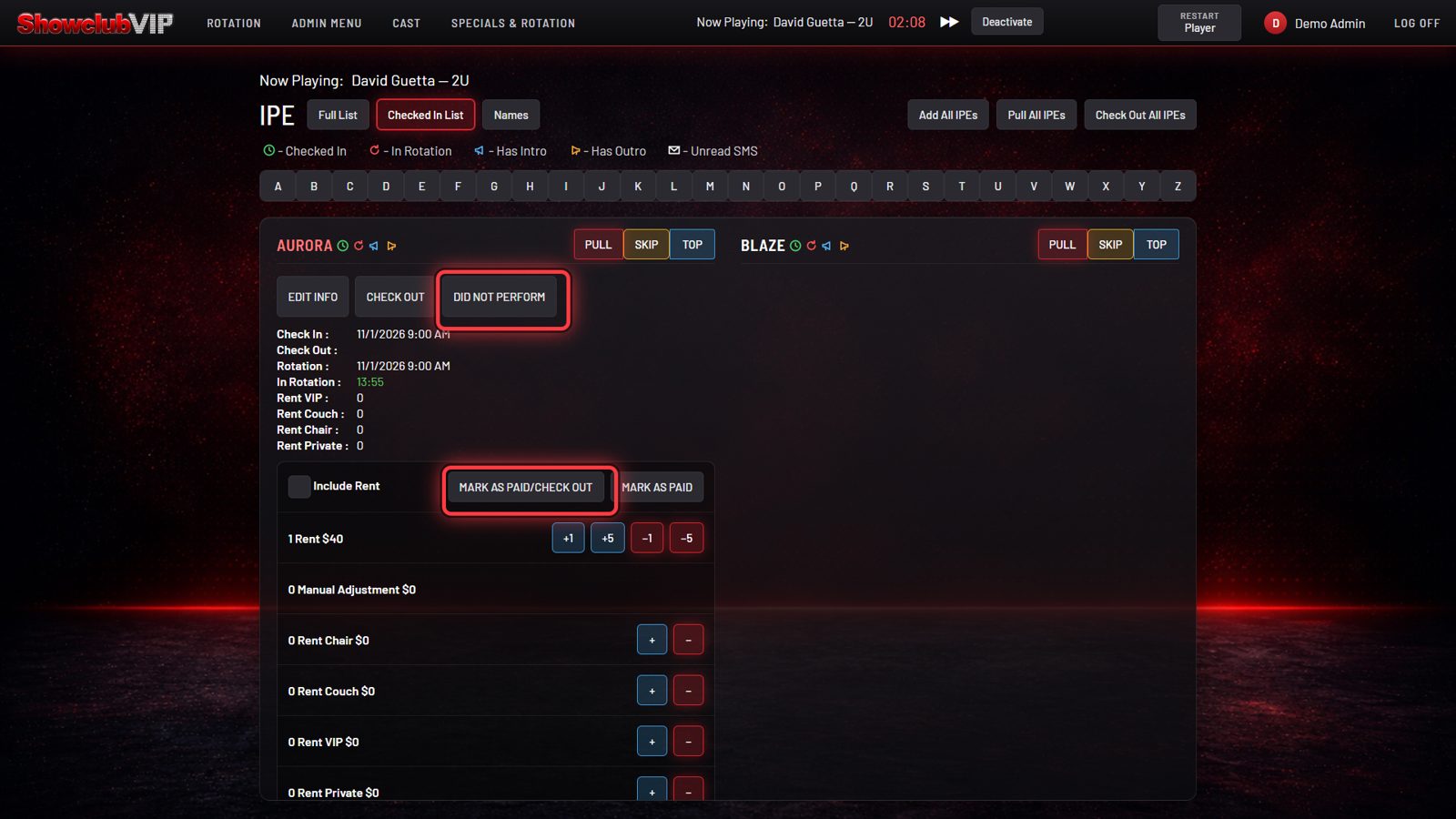
Mark as Paid records the payment, and Mark as Paid/Check Out records it and checks the IPE out at once. Did Not Perform clears the night if they never worked, after asking.
Try it on the live demo
The demo club is the full system, with IPEs checked in and the rotation moving. Ask for your one-time PINs and try it yourself.
Request demo access